You know the feeling. It is 4 p.m., you have six candidates waiting for a scheduling email, three interviewers who have not submitted feedback, and a hiring manager asking for a status update you have not had time to compile. None of that is recruiting. It is administration.
The average recruiter spends 70 to 80 percent of their time on repetitive administrative tasks, leaving only 20 to 30 percent for the work that actually requires recruiting skill. That ratio is backwards, and automation is how you flip it.
But “automate your recruiting” is vague advice. What matters is which specific triggers you set up and what actions they fire. Here are twelve that cover the full hiring funnel — concrete enough to implement this week.
Why trigger-based automation works
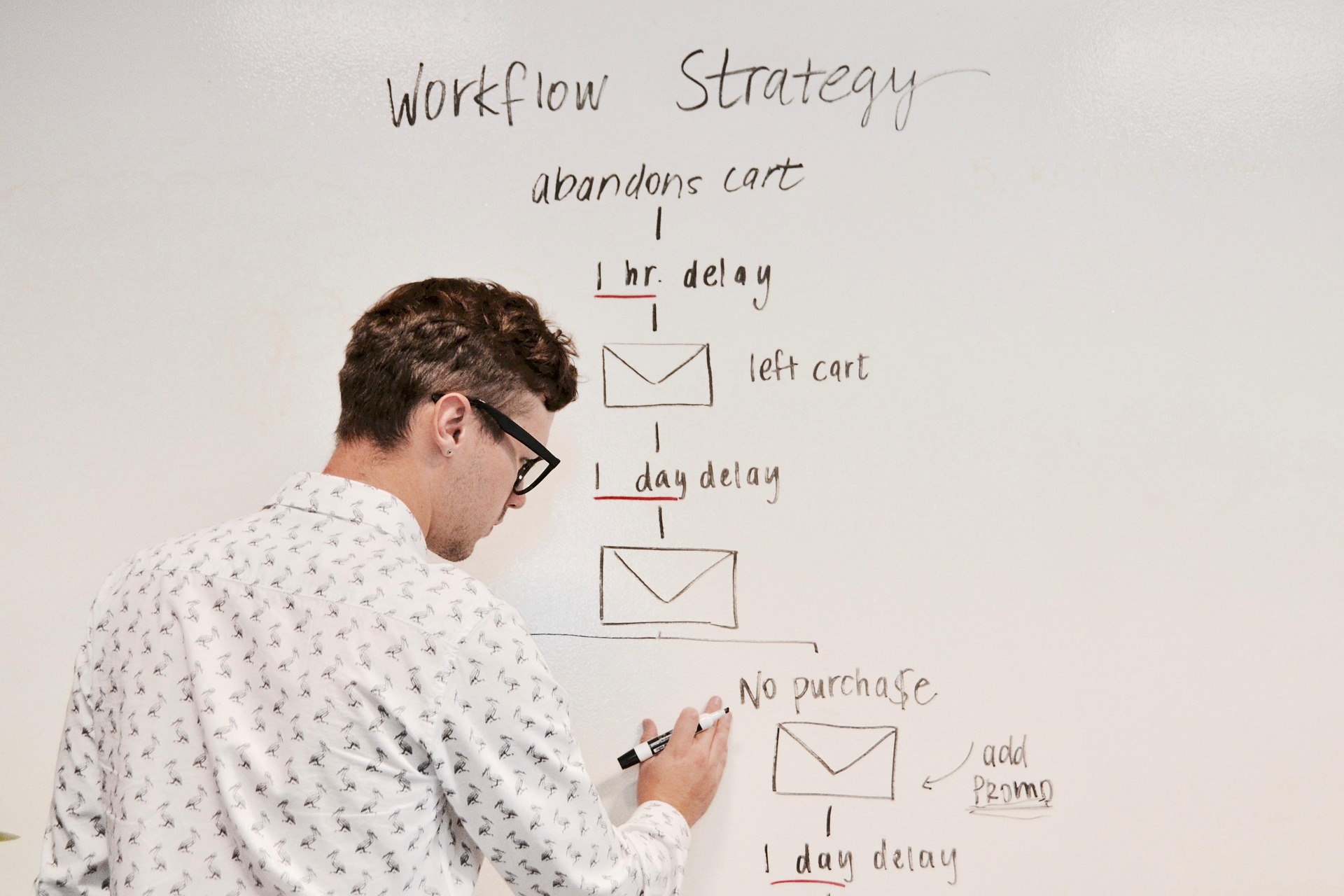
A trigger is a condition in your ATS: a candidate applies, a stage changes, a deadline passes, a field gets updated. An action is what happens next: an email sends, a task gets created, a notification fires, a candidate moves.
The power of triggers is that they are predictable. You define the rule once, and it runs the same way for every candidate. No one forgets. No one sends the email late. No one copies the wrong template.
According to a 2025 Totaljobs report, UK recruiters spend an average of 17.7 hours of manual admin per vacancy — more than two full working days per hire. That includes 2.5 hours just on scheduling interviews and 3 hours processing post-interview notes. Triggers eliminate most of that.
Recent keyword data from DataForSEO Labs (United States, English) shows “ats automation” at roughly 1,900 monthly searches and “recruiting process automation” at roughly 1,000 monthly searches. Teams are actively looking for this. Here is what to automate.
The 12 triggers
1. Candidate applies — send acknowledgment
The moment an application lands, fire a confirmation email. Include the role title, a realistic timeline, and what to expect next. Candidates who receive an immediate acknowledgment are far less likely to assume their application disappeared into a void.
2. Resume received — run AI scoring
When a resume is attached to an application, trigger your AI scoring tool to evaluate it against the job description. In Canvider, this means AI Score runs automatically, so by the time a recruiter opens the pipeline, candidates are already ranked.
3. AI Score falls below threshold — auto-archive with a respectful decline
If a candidate scores below a threshold you define (say, below 30 on a 100-point scale), move them to the archive and send a decline email. This is not a decision the AI made — you set the bar. The trigger just enforces it consistently so low-match candidates are not sitting in limbo for weeks.
4. Candidate moved to phone screen — send prep email
When a recruiter advances someone to the phone screen stage, an email fires with the call details, the interviewer’s name, and any prep notes. The recruiter does not have to draft it. The candidate gets the information within minutes.
5. Phone screen completed — route scorecard
The moment a phone screen is marked done, a scorecard prompt goes to the interviewer. Set a 48-hour deadline. If the scorecard is not submitted, trigger a reminder (see number 8). This prevents the common problem of interviewers forgetting feedback until the debrief is already scheduled.
6. Candidate moved to interview — send panel invite and candidate confirmation
This is the biggest time saver in the list. When a candidate reaches the interview stage, the system sends a scheduling link to the candidate and notifies the interview panel. No copy-pasting Calendly links. No “who’s available Thursday?” threads.
7. Interview scheduled — set 24-hour reminder
One day before the interview, both the candidate and the interviewers get a reminder with the format, link, and any prep materials. This cuts no-shows. A 2025 Hirevire study found that 74% of recruiters regularly deal with last-minute rescheduling and cancellations. Reminders do not eliminate that, but they reduce it.
8. Scorecard overdue — send reminder to interviewer
If an interviewer has not submitted their scorecard within the window you set, fire a reminder. Then fire another one 24 hours later. Feedback that arrives a week after the interview is not useful — the details are already fading. This trigger keeps the process tight.
9. All scorecards submitted — notify hiring manager for debrief
Once every interviewer on the panel has submitted feedback, alert the hiring manager that the debrief can happen. No one has to manually check whether all the forms are in. The debrief happens sooner because the bottleneck was visibility, not willingness.
10. Candidate stalled in stage for X days — alert recruiter
If a candidate has been sitting in any stage for longer than your defined window (say, five business days), notify the recruiter. This catches the candidates who fall through the cracks — the ones no one rejected and no one advanced. Every ATS has them. This trigger surfaces them before the candidate ghosts.
11. Candidate archived — send decline email
When a candidate is moved to the archive at any stage, send a decline email immediately. Not in a Friday batch. Not next week. Now. The email should be stage-appropriate: a brief note for early-stage declines, something more personal for candidates who interviewed.
12. Offer accepted — trigger onboarding tasks
When the offer status changes to accepted, fire the onboarding sequence: notify HR, create the employee record, send the welcome packet, assign first-week tasks. The hire is made. The handoff should be instant.
What these triggers have in common
Notice what none of these triggers do: they do not decide who advances. They do not evaluate quality. They do not choose between two finalists.
Every trigger fires after a human makes a decision or enforces a rule a human already set. That distinction matters. A 2025 Resume.org survey found that 74% of companies already let AI reject candidates without human review. These twelve triggers avoid that pattern. They handle logistics, not judgment.
Setting up triggers without engineering
You do not need a developer to build this. In Canvider, Hiring Automation lets you define triggers in a visual builder: pick the condition, pick the action, write the email template, and activate. Most teams set up their core triggers in about thirty minutes.
For a deeper look at what to automate versus keep manual, see Interview Workflow Automation: What to Automate (and What Not To). And for time-to-hire strategies, check 5 Ways to Reduce Time-to-Hire with AI.
Start with three, then expand
You do not have to implement all twelve at once. Start with the three that address your biggest pain:
- If candidates complain about slow communication, start with triggers 1, 4, and 11.
- If feedback collection is your bottleneck, start with triggers 5, 8, and 9.
- If candidates stall in your pipeline, start with triggers 6, 10, and 3.
Add more as you see the time come back. The goal is not a fully automated hiring machine. It is a team that spends its hours on the parts of recruiting that actually need a human.