Learn · tutorials
Video tutorials
Short, focused walkthroughs for every part of Canvider. Watch the full demo below, then explore feature-by-feature guides at your own pace.
All tutorials
-
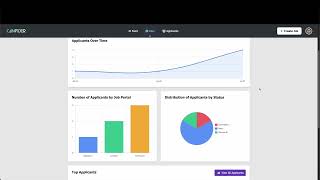 4 min Onboarding
Getting Started: Your First Job Posting
Create your account, set up your workspace, and publish your first role in under 15 minutes.
- 5 min AI Evaluation
AI Score Explained
Learn how AI Score ranks candidates against your criteria and how to read the explanations it gives you.
- 3 min AI Evaluation
CriteriaMatch: Instant Must-Have Screening
Set up must-have filters so Canvider automatically flags who meets your minimum requirements.
- 4 min AI Evaluation
Using DecisionHelper for Final Decisions
Compare your top finalists side-by-side with AI-generated insights to help your team align fast.
- 3 min Sourcing
Writing Job Descriptions with JobCraft
Turn a rough role summary into a polished, compelling job description in seconds.
- 4 min Sourcing
Building Your TalentPool
Add sourced candidates and keep them warm so you're never starting from zero when a role opens.
- 3 min Interviews
InterviewGen: Structured Questions in Seconds
Generate role-specific interview questions that keep every interviewer consistent and prepared.
- 5 min Workflow
Collaborative Assessment & Team Feedback
Invite your team, leave structured feedback, and centralise all hiring notes in one place.
- 6 min Workflow
Workflow Automation: Set it and Forget it
Automate stage transitions, candidate emails, and reminders so your pipeline runs itself.
Enough watching. Your turn.
Follow a walkthrough in a free account. No card, no setup fee.